

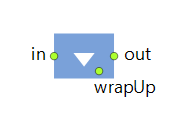
The Release block releases a specified number of resource units that were previously seized by the Seize block. Moving resources can Return to home location (if they are not immediately seized by another agent) or Stay where they are after being released (this setting is configured with the Moving resources property).
The operation takes zero time.
Optionally, you can define the wrap-up task to be performed by the resource unit when it completes the main task and is released by the agent. The wrap-up task can be defined using the wrap-up flowchart (starting from the bottom wrapUp port and ending with the ResourceTaskEnd block).
A set of resources may have multiple tasks with different priorities and preemption policies.
- If all tasks have the same priority, they will be executed in the usual way following their occurrence schedule. If there are enough resource units available, tasks can be executed simultaneously. If two tasks have the same priority, but one of them was suspended for some reason, this suspended task will be picked1.
- If you have configured no preemption policy for the tasks, these tasks will be executed one after another following their occurrence schedule. If there are enough resource units available, tasks can be executed simultaneously.
- The occurrence of one task does not reset the priorities for other tasks.
-
The suspended tasks from the individual queue of the resource unit have the highest priority.
This queue is formed by agents waiting in blocks that have the Task preemption policy set to Wait for original resource. -
After that, the suspended tasks from the queue of the ResourcePool block are processed.
This queue is formed by agents waiting in the blocks that have the Task preemption policy set to Seize any resource.
Once the suspended tasks from these queues are completed, the resource unit begins to process new tasks from their individual queues, and after that, the queue of the ResourcePool block.
If this order does not suit your needs, manually decrease the task’s priority by code, using the On task suspended action of the block.
- Release
-
Defines what resources are being released. There are five alternative choices: All seized resources (of any pool), All resources seized in given Seize block(s), All seized resources from given pool(s), Specified resources (list of pools), Specified quantity of resources.
Name: releaseMode
Type: Release.ReleaseMode
Valid values:
Release.ALL — All seized resources (of any pool)
Release.ALL_FROM_SEIZES — All resources seized in given Seize block(s)
Release.ALL_FROM_POOLS — All seized resources from given pool(s)
Release.SPECIFIED_RESOURCES — Specified resources (list of pools)
Release.SPECIFIED_QUANTITY — Specified quantity of resources - Seize blocks
-
[Visible if Release: All resources seized by given Seize block(s)]
The expression evaluated to obtain the resource pool where the units being released belong to. If left unspecified or returns null, the connected pool is assumed.Name: seizeBlocks
Type: Seize[] -
[Visible if Release: All seized resources from given pool(s) or Specified resources (list of pools)]
The list of the names of ResourcePool blocks whose units are being released. One unit will be released per pool name, so if you wish to release two or more units of the same pool, you should list that pool twice, for example: { doctor, nurse, nurse }.Type: ResourcePool[]
Local variable: T agent — the agent -
[Visible if Release: Specified quantity of resources]
The name of the ResourcePool block where the units being released belong to.Type: ResourcePool
Local variable: T agent — the agent -
[Visible if Release: Specified quantity of resources]
The number of the resource units being released. In case Quantity released evaluates to 0, the resource pool is not checked, and the agent just flows through the block.Type: int
Local variable: T agent — the agent -
Defines whether moving resources should Return to home location (if they are not immediately seized by another agent) or Stay where they are after being released.
Type: boolean
Default value: true — Return to home location
Local variables:
T agent — the agent
T unit — the resource unit
-
Defines when resource units will return home and optionally do the wrap-up task defined with the wrap-up flowchart (starting from wrapUp port and ending with the ResourceTaskEnd block).
There are three options:each time — wrap-up and/or “return” tasks will be done each time the resource unit finishes its main task and is released by the agent. In this mode, the wrap-up task cannot be preempted by any other task, including the Downtime tasks.
if no other tasks — wrap-up and/or “return” tasks are done only if there are no other tasks currently waiting for the resource unit.
custom — if you select this option, you can define the priority and preemption policy for wrap-up tasks using the properties below. In this case the priority of the wrap-up task will be compared with priorities of other incoming tasks, and the specified preemption policy will be used to select the next task for this particular resource unit.Type: WrapUpPolicy
Valid values:
Release.WRAP_UP_ALWAYS — each time
Release.WRAP_UP_IF_NO_TASKS — if no other tasks
Release.WRAP_UP_PRIORITY_BASED — custom
Local variables:
T agent — the agent
T unit — the resource unit -
[Visible if Wrap-up (e.g. move home): custom]
Sets the priority for the wrap-up task (see above).Type: double
Default value: 0
Local variables:
T agent — the agent
T unit — the resource unit -
[Visible if Wrap-up (e.g. move home): custom]
Specifies the policy for the wrap-up task preemption by other tasks:- No preemption — the wrap-up task cannot be preempted.
- Terminate — the wrap-up task will be preempted by the incoming task and terminated.
Type: ResourcePreemptionPolicy
Valid values:
Release.PP_NO_PREEMPTION — No preemption
Release.PP_TERMINATE — Terminate
Local variables:
T agent — the agent
T unit — the resource unit -
Select how the statistics for the wrap-up task should be collected: counted as 'busy', counted as 'idle', or not collected at all.
Type: ResourceUsageState
Valid values:
Release.USAGE_BUSY — counted as 'busy'
Release.USAGE_IDLE — counted as 'idle'
Release.USAGE_NOT_COUNTED — not collected
Local variables:
T agent — the agent
T unit — the resource unit
- On enter
-
The code executed when the agent enters the block.
Local variable: T agent — the agent
- On release
-
The code executed when the resource unit has been released. Note that a custom “wrap up” task can be assigned to this resource unit (either a “move to home location” task, or a custom wrap-up task defined with a flowchart starting with the wrapUp port and ending with the ResourceTaskEnd block).
Local variables:
T agent — the agent
T unit — the resource unit - On exit
-
The code executed when the agent exits the block.
Local variable: T agent — the agent
- On 'Wrap-up' terminated
-
The code executed when the wrap-up task of the resource is terminated (preempted by other task with higher priority).
Local variables:
T agent — the agent which originally seized this resource unit
T unit — the resource unit
- in
- The input port.
- wrapUp
- The port where you can connect the block that starts the wrap-up process flowchart. This flowchart should end with the ResourceTaskEnd block.
- out
- The output port.
-
How can we improve this article?
-