

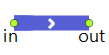
The Pipeline block transports fluid from one point to another. Has a finite capacity. Optionally can contain some initial fluid located at the input end.
Once the pipeline gets filled, it stays filled forever. Gaps are not allowed in pipelines. If gaps or condensed sections are needed, consider using BulkConveyor. All fluid in the pipeline moves at the same rate, therefore, when the pipeline is full, its input rate is always equal to the output rate. While the pipeline is not full, its input rate is only limited by the pipeline own rate (if required, set the Limited rate option and define the upper limit for the rate in the Maximum rate property).
The specified rate cannot be lower than the value of Utils.RATE_TOLERANCE constant, that is, 1.0e-9. If the rate value falls below this value after recalculation, it will be snapped to 0.
Pipeline transfers batches in the FIFO order (first in, first out). You can specify the batch of the fluid initially contained in the pipeline.
The Pipeline block allows you to define actions associated with the pipeline getting completely filled, and with new batches appearing at the input or at the output.
Demo model: Pipeline Open the model page in AnyLogic Cloud. There you can run the model or download it (by clicking Model source files). Demo model: PipelineOpen the model in your AnyLogic desktop installation.- Capacity
-
The maximum amount the pipeline can contain. This value cannot be less than the value of Utils.TOLERANCE.
Name: capacity
Type: double
Set new value at runtime: set_capacity(new value) - Initial amount
-
The amount initially contained in the pipeline. This value cannot be less than the value of Utils.TOLERANCE.
Name: initialAmount
Type: double
Set new value at runtime: set_initialAmount(new value) - Limited rate
-
If the option is selected (the value is equal to true), you are able to specify a custom upper limit of the rate the pipeline can operate at.
Name: limitRate
Type: boolean - Maximum rate
-
[Visible and applies if the Limited rate option is set]
The custom upper limit of the pipeline transfer rate.Name: maxRate
Type: double
Default value: 10 cubic meters / s
Set new value at runtime: set_maxRate(new value) - Custom priority
-
If the option is set (the value equals true), the priority of the pipeline outflow will be defined by the Output flow priority property below, otherwise it equals 1. The priority affects the LP solver when it tries to maximize the flow through the system.
Name: customPriority
Type: boolean
Set new value at runtime: set_customPriority(new value) - Output flow priority
-
[Visible and applies if the Custom priority option is set]
The custom priority of the pipeline outflow in the overall flowchart. Must be a positive integer.Name: priorityOutCustom
Type: int
Set new value at runtime: set_priorityOutCustom(new value) - Custom initial batch
-
If set, the fluid initially contained in the pipeline will be of the Initial batch type. If not, it will be BatchTypes.DEFAULT_BATCH.
Name: customInitialBatch
Type: boolean
Set new value on startup: set_customInitialBatch(new value) - Initial batch
-
[Visible and applies if the Custom initial batch option is set]
Defines the batch initially contained in the pipeline.Name: initialBatch
Type: Object
Set new value on startup: set_initialBatch(new value) - Custom batch color
-
If set, the initial batch color is defined by the Batch color property below, otherwise the standard color mapping applies.
Name: customInitialBatchColor
Type: boolean
Set new value on startup: set_customInitialBatchColor(new value) -
[Visible and applies if the Custom batch color option is set]
Defines the color of the initial batch.Name: initialBatchColor
Type: Color
Local variable: Object batch — the initial batch
- Pipe
-
The name of the Pipe space markup shape used to animate the pipe defined by this Pipeline block (both in the 2D and 3D animation).
Name: pipe
Type: Pipe - Show batches in flowchart
-
If set, the block icon will display the current batch color.
Name: showBatchesInFlowchart
Type: boolean
- On full
- The action executed when the pipeline gets full; this may happen only once during the pipeline lifecycle. The action is not executed if the pipeline is initially full.
- On new batch at input
-
The action executed when a new batch appears at the input. It will not necessarily start flowing into the block.
Local variable: Object batch — the batch
- On new batch at output
-
The action executed when a new batch reaches the pipeline output.
Local variable: Object batch — the batch
- On rate change
-
The action executed when any of the flow rates (input or output) changes.
Changing something in the action may result in another immediate rate change and immediately following another call of On rate change, so the user can possibly create a livelock.Local variables:
double inrate — the current input rate
double outrate — the current output rate
- Fluid amount
-
Function Description double amount() Returns the amount currently contained in the pipeline (total of all batches). If the amount is less than the value of Utils.TOLERANCE, returns 0. double amount(AmountUnits units) Returns the amount of fluid (in given units) currently contained in the pipeline (total of all batches). If the amount is less than the value of Utils.TOLERANCE, returns 0.
units — the amount unitsdouble amountPassedIn() Returns the total amount passed through the input port of the pipeline since the start of the simulation. double amountPassedIn(AmountUnits units) Returns the total amount of fluid (in given units) passed through the input port of the pipeline since the start of the simulation.
units — the amount unitsdouble amountPassedOut() Returns the total amount passed through the output port of the pipeline since the start of the simulation. double amountPassedOut(AmountUnits units) Returns the total amount of fluid (in given units) passed through the out port of the pipeline since the start of the simulation.
units — the amount unitsboolean isFull() Tests if the pipeline is full, that is, its amount equals the pipeline capacity. Returns true if the pipeline is full, and false otherwise. boolean isEmpty() Tests if the pipeline is empty. Returns true if the pipeline is empty, and false otherwise. There can still be a zero-size batch in an empty pipeline in case it has appeared at the input, but has not actually started flowing in. - Utilization
-
Function Description double utilization() Returns the currently utilized fraction of the pipeline bandwidth, namely the current input rate divided by the maximum input rate. If the current maximum rate is not limited or equals 0, returns 0. double utilizationTotal() Returns the average utilization of the pipeline bandwidth throughout the total operating time, namely, the amount passed through the pipeline input divided by the maximum amount that could pass, subject to the (possibly changing) maximum rate. If the rate has been set to unlimited even once, the function will return 0. - Flow rate
-
Function Description double averageRateIn() Returns the average rate through the input of the pipeline throughout the total operating time in cubic meters per second. double currentRate() Returns the current flow rate of fluid at the pipeline input. (The flow rate at the output is either 0 if the pipeline is not full, or the same as at the input.) double currentRate(FlowRateUnits units) Returns the current flow rate (in given units) of fluid at the pipeline input. (The flow rate at the output is either 0 if the pipeline is not full, or the same as at the input.)
units — the flow rate units - Batches
-
Function Description int numberOfBatches() Returns the number of batches currently present in the pipeline, including possible zero-length batches. Object getBatch(int index) Returns the batch with the specified index. The batch with index 0 is the closest to the pipeline output, the batch with the index numberOfBatches() - 1 is the last batch at the input.
index — the batch indexdouble getBatchSize(int index) Returns the size of the batch with the specified index. The batch with index 0 is the closest to the pipeline output, the batch with the index numberOfBatches() - 1 is the last batch at the input.
index — the batch indexdouble getBatchSize(int index, AmountUnits units) Returns the size of the batch (in given units) with the specified index.
index — the batch index
units — the amount unitsdouble getBatchOffset(int index) Returns the sum of sizes of all batches closer to the pipeline input than the batch with a given index. Intended use is creating a custom animation.
index — the batch used to calculate the offset - Resetting statistics
-
Function Description void resetStats() Resets statistics collected for this block, including the statistics collected for its ports.
- in
- The input port.
- out
- The output port.
-
How can we improve this article?
-