

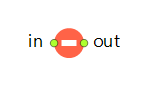
The Hold block can suspend the agents moving along a particular connection. For example, it is used when a particular flowchart block can accept agents, but you need to temporarily block the agents trying to proceed there. In another case, you may need to block an output of a particular flowchart block that merges with the outputs of other blocks.
The state of the block is controlled programmatically with the setBlocked() function.
Hold does not hold agents inside (even for zero time), and can be treated as an extension of an input or an output port (or ports).
Demo model: Hold Open the model page in AnyLogic Cloud. There you can run the model or download it (by clicking Model source files). Demo model: HoldOpen the model in your AnyLogic desktop installation.- Mode
-
Sets the blocking mode for this block. Has three modes:
Manual (use block(), unblock() methods) — Enables Hold after the block() function call and disables it after the unblock() call.
Block automatically after N agents (use unblock() method) — Hold is automatically enabled after the specified number of agents arrive at its input port. To disable Hold in this mode, call the unblock() function.
Conditional (custom decision for each agent) — Hold decides whether to block an incoming agent by evaluating the Blocking condition for that agent.Name: mode
Type: Hold.Mode
Default value: Hold.MANUAL — Manual (use block(), unblock() methods)
Valid values:
Hold.MANUAL — Manual (use block(), unblock() methods)
Hold.BLOCK_AFTER_N_ENTITIES — Block automatically after N agents (use unblock() method)
Hold.CONDITIONAL — Conditional (custom decision for each agent) - N agents for self-block
-
[Visible if Mode: Block automatically after N agents]
The number of agents that should arrive at the block’s input port to block Hold.Name: nEntitiesForSelfBlock
Type: int
Set new value at runtime: set_nEntitiesForSelfBlock(new value) -
[Visible if Mode: Conditional (custom decision for each agent)]
The condition that is evaluated for each agent. If it evaluates to true, that Hold is enabled. If you change the condition dynamically, call the block’s recalculateConditions() function to command the Hold block to recalculate the blocking conditions for all agents currently held by this block.
In the demo model, the last case demonstrates this: the event modifies the variable used in the blocking condition, and then the recalculateConditions() function is called.Type: boolean
Local variable: T agent — the agent - Initially blocked
-
If the option is selected (true), Hold is initially enabled.
Name: initiallyBlocked
Type: boolean
Default value: false
- On enter
-
The code executed when the agent enters the block.
Local variable: T agent — the agent
| Function | Description |
| void setBlocked(boolean blocked) |
Blocks or unblocks the input port.
blocked — the Boolean value that indicates whether to block the input port; pass true to block the port, false otherwise |
| boolean isBlocked() | Returns true if the input is blocked, false otherwise. |
| void block() | Blocks the input port. Does nothing if the port is already blocked. |
| void unblock() | Unblocks the input port. Does nothing if the port isn’t blocked. |
| boolean toggleBlock() | Toggles the “blocked” state and returns the new state (true for blocked). |
| void recalculateConditions() | Recalculates the blocking conditions for all agents which are currently held by this block. |
- in
- The input port.
- out
- The output port.
-
How can we improve this article?
-