

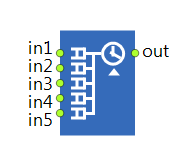
The Assembler block allows a specified number of agents from different sources (5 or less) to be combined into a single agent. The type of the new agent and its initialization is specified by the user. The number of agents for each input required to create a new agent is also specified using the block properties (Quantity 1, Quantity 2, and so on). All incoming agents wait inside the block until all required agents arrive. As soon as the new agent can be built, the assembly operation starts. This operation takes the time specified by the Delay time property.
The assembly may require the use of resources. In this case, you specify which resources are required to perform the assembly. For more information on this topic, see Resources.
The new agent may be “completely new”, that is, a newly constructed agent whose properties may depend on the original agents, or it may be one of the original agents, again, possibly modified. If you want the new agent to be exactly the same as the agent that arrived at the first input port, switch to the dynamic editor of the New agent property and enter the following:
queue1.removeFirst()
Assembler may be used for a number of purposes. First, it can be used as a synchronization point to let one of the agents proceed only after others have arrived. It can also be used to combine different parts of a job.
All agents that enter the block may be animated at the specified positions.
- Quantity 1, 2, …, 5
-
Number of agents required to arrive into in1 through in5 ports to start producing a single new agent.
Name: quantity1, quantity2, …, quantity5
Type: int -
The type of the agents exiting this block. Referred below as T.
Default value: Agent
Local variables:
Queue queue1, Queue queue2, …, Queue queue5 — Assembler queues; you can access the agents stored there while generating a new agent -
If the option is selected (its value is true), you will be able to change the dimensions of the agent created by this block specifying the new Length, Width, and Height values below.
Type: boolean
Local variable: T agent — the agent -
[Visible if the Change dimensions option is selected]
The new length of the assembled agent.Type: double
Local variable: T agent — the agent -
[Visible if the Change dimensions option is selected]
The new width of the assembled agent.Type: double
Local variable: T agent — the agent -
[Visible if the Change dimensions option is selected]
The new height of the assembled agent.Type: double
Local variable: T agent — the agent - Seize resources
-
Specifies whether the assembly requires resource(s) of just one single resource type (units of the same pool), or resources of different types ((alternative) resource sets). For more details, see Resources.
Name: seizeFromOnePool
Type: boolean
Default value: false — (alternative) resource sets -
[Visible if Seize resources: (alternative) resource sets]
Defines sets of resources required to perform the assembly. You can define several alternative resource sets (add new list by clicking the Add list button). The resource set is chosen based on the availability of resource units. For more details, see Resources.Type: ResourcePool[][]
Local variable: T agent — the agent -
[Visible if Seize resources: units of the same pool]
ResourcePool block defining the resources requested to perform the assembly. For more details, see Resources.Type: ResourcePool
Local variable: T agent — the agent -
[Visible if Seize resources: units of the same pool]
The expression evaluated to obtain the required number of resource units for the agent.Type: int
Local variable: T agent — the agent -
The expression evaluated to obtain the delay time for the assembly operation.
Type: double
Local variable: T agent — the agent - Output buffer capacity
-
You can add a buffer where the assembled new agents (material items) can wait until the next block in the flowchart accepts them. For example, this might prove useful if the next block cannot accept the agents at the rate they are leaving the assembler block or if it requires the coordinates of the assembled agents. In this property, you specify the maximum number of agents that can wait in this buffer. If you do not use the buffer (the value specified in this property is 0), the assembled agent will keep the seized resources (if any) and its animation will appear in Location of assembled agent.
Name: outputBufferCapacity
Type: int
- Location of assembled agent
-
Defines the place where the new assembled agent will be placed. There are six options:
Not specified — You do not specify the new location for assembled agents.
Network / GIS node — Assembled agents are placed in the given network node, GIS point, or GIS region.
Attractor — Assembled agents are placed in the specified attractor.
(x, y, z) — Assembled agents are placed in the point with the specified coordinates X, Y, Z.
(latitude, longitude) — Assembled agents are placed in the given point on the GIS map with the specified Latitude and Longitude.
Geographic place — Assembled agents are placed in the particular location on the GIS map. You define this place using the Name of place property below.Name: locationType
Type: InitialLocationType
Default value: Assembler.LOCATION_NOT_SPECIFIED — Not specified
Valid values:
Assembler.LOCATION_NOT_SPECIFIED — Not specified
Assembler.LOCATION_NODE — Network / GIS node
Assembler.LOCATION_ATTRACTOR — Attractor
Assembler.LOCATION_XYZ — (x, y, z)
Assembler.LOCATION_LATLON — (latitude, longitude)
Assembler.LOCATION_GEO_PLACE — Geographic place -
[Visible if Location of assembled agent: Network / GIS node]
The network node, path, or GIS region where the agents created by this block are put.Type: INode
Local variable: T agent — the agent -
[Visible if Location of assembled agent: Attractor]
The attractor where the agents created by this block are put.Type: Attractor
Local variable: T agent — the agent -
[Visible if Location of assembled agent: (x, y, z)]
The X, Y, and Z coordinates of the point where the agents created by this block will be put.Type: double
Local variable: T agent — the agent created at this block - … located in
-
[Visible if Location of assembled agent: (x, y, z)]
Specifies where the new assembled agent will be added to upon exiting the assembler block: either Level or Network.Name: destinationInNetwork
Type: boolean
Default value: false — Level -
[Visible if … located in: Level]
The level the agent will be added to once it exits the assembler block.Type: Level
Local variable: T agent — the agent -
[Visible if … located in: Network]
The network the agent will be added to once it exits the assembler block.Type: INetwork
Local variable: T agent — the agent -
[Visible if Location of assembled agent: (latitude, longitude)]
The latitude and longitude of the point on the GIS map where the assembled agents will be placed.Type: double
Local variable: T agent — the agent -
[Visible if Location of assembled agent: Geographic place]
The name of the particular location on the GIS map, where the assembled agents will get on generation. You specify the name as text put in quotes, for example, "London". The GIS map will perform a GIS search for a location with that name. The first location from the list of GIS search results will be used.Type: String
Local variable: T agent — the agent -
[Visible unless Location of assembled agent: Not specified]
The speed of the assembled agents.Type: double
Default value: 10 meters per second
Local variable: T agent — the agent - Agent location (delay)
-
The space markup shape (node or path) where the agents are located while being in the internal Delay block.
Name: entityLocationDelay
Type: AnimationStaticLocationProvider - Agent location (queue 1, … , queue 5)
-
The space markup shape (node or path) where the agents are located while being in the internal queue1 through queue5 blocks.
Name: entityLocationQueue1, entityLocationQueue2, …
Type: AnimationStaticLocationProvider
-
The priority of the task for the incoming agent (the larger the higher).
Type: double
Default value: 0
Local variable: T agent — the agent -
If the option is selected, this task may preempt other tasks of the requested resource units.
Type: boolean
Default value: true
Local variable: T agent — the agent -
Specifies what is done when a different task incomes for the resource unit(s) currently busy with the assembly operation.
No preemption — the current task continues executing.
Wait for original resource — the task is interrupted and waits for the same resource unit to finish it.
Terminate serving — the task is interrupted and never continued.
Seize any resource — the task is interrupted and tries to seize any resource of the specified type, taking into account the restrictions applied by the Resource choice condition property.
Continue without resource — the task is finished without resources assistance.Type: TaskPreemptionPolicy
Default value: Assembler.PP_NO_PREEMPTION — No preemption
Valid values:
Assembler.PP_NO_PREEMPTION — No preemption
Assembler.PP_WAIT_FOR_ORIGINAL_RESOURCE — Wait for original resource
Assembler.PP_TERMINATE_SERVING — Terminate serving
Assembler.PP_SEIZE_ANY_RESOURCE — Seize any resource
Assembler.PP_CONTINUE_WITHOUT_RESOURCE — Continue without resource
Local variable: T agent — the agent - Auto suspend/resume agents
-
[Visible if Task preemption policy: Wait for original resource or Seize any resource]
This property defines whether the agent whose task is suspended should be automatically suspended in its current flowchart block and automatically resumed at the time when the resources become available.Name: suspendResumeEntities
Type: boolean
Default value: true -
[Visible if Task preemption policy: Terminate serving]
Enter block starting the flowchart branch for the agents which lost all obtained resource units because of the Terminate serving preemption policy, when one of units in the resource set gets grabbed by another task with higher priority.Type: Enter
Local variables:
T agent — the agent
T unit — the resource unit that has originated termination
- Customize resource choice
-
If the option is selected, you can select some specific resource units for the operation (using the Resource choice condition below).
Name: customizeResourceChoice
Type: boolean
Default value: false -
[Visible if the Customize resource choice option is selected]
The Boolean expression that will be checked to find the specific resource unit(s) that may perform the operation. If none currently available resource unit(s) satisfy the specified condition (the condition returns false), the Assembler block will wait for the first resource unit that matches the condition.
Usually you define some field inside the agent type (say, myAssistant), store there the reference to the resource unit when it starts working with this agent (agent.myAssistant = unit), and then specify here the condition agent.myAssistant == unit enabling only this particular unit to continue working with this particular agent.Type: boolean
Default value: true
Local variables:
T agent — the agent
T unit — the resource unit
ResourcePool pool — the resource pool -
Defines which resource units may be selected for the given agent.
Off (chooses some matching unit) — no special preference for the selection.
Nearest to the agent — the resource unit which is the closest to the current agent.
The most preferred — the resource unit is selected by comparing resources to each other. The comparison algorithm (or its call) is placed in the field "unit1 is preferred to unit2".
Unit with top rating — the resource unit with the highest rating is selected. The rating (or the algorithm that calculates it) is specified by the user in the Unit rating field.Type: ResourceSelectionMode
Default value: Assembler.RESOURCE_SELECTION_SOME_UNIT — Off (chooses some matching unit)
Valid values:
Assembler.RESOURCE_SELECTION_SOME_UNIT — Off (chooses some matching unit)
Assembler.RESOURCE_SELECTION_NEAREST — Nearest to the agent
Assembler.RESOURCE_SELECTION_BASED_ON_COMPARISON — The most preferred
Assembler.RESOURCE_SELECTION_BASED_ON_RATING_VALUE — Unit with top rating
Local variables:
T agent — the agent
ResourcePool pool — the resource pool -
[Visible if Resource selection: The most preferred]
The comparison algorithm (or its call) that is used for choosing a resource for the given agent. The algorithm compares resources to each other. It should return true if the resource unit1 has higher preference than the resource unit2 (and false otherwise, including the case of choice equality). The algorithm should provide transitiveness.Type: boolean
Default value: false
Local variables:
T unit1 — the first resource unit to be compared
T unit2 — the second resource unit to be compared
T agent — the agent -
[Visible if Resource selection: Unit with top rating]
The rating value of this resource unit. The rating is used to choose a unit for the given agent (the larger the higher, the unit with the top rating value will be chosen).
Usually an algorithm or a function call is placed here to calculate the rating with the help of the available local variables.Type: double
Local variables:
T agent — the agent
T unit — the resource unit - Add combined agents to
-
Specifies where the agents created by this block will be stored: in the default population of the top-level agent of the model or in a custom population (specified below in the Population property). The default population (Java collection of type AgentList) contained in the top-level agent can be accessed with the function getDefaultPopulation().
Name: addToCustomPopulation
Type: boolean
Default value: false — default population -
[Visible if Add combined agents to: custom population]
The name of the agent population where the agents created by this block will be stored.Type: AgentList
Local variable: T agent — the agent - Force statistics collection
-
This block contains internal blocks that collect statistics. If the statistics collection is turned off for all Process Modeling Library blocks in the model by the PMLSettings block, this option enables you to override this setting and collect the statistics for this specific block. Otherwise, the statistics will be collected regardless this setting.
Name: forceStatisticsCollection
Type: boolean
Default value: false
- On enter 1, 2, …, 5
-
The code executed when an agent enters the block at the in1 through in5 ports.
Local variables:
T1 agent, T2 agent, …, T5 agent — the agent - On enter delay
-
The code executed when the agent enters the internal Delay block.
Local variables:
T agent — the agent
double delayTime — the delay time evaluated for the agent - On at exit
-
The callback executed when agent has finished its delay and ready to leave this block (if the subsequent block is not busy).
Local variable: T agent — the agent
- On exit
-
The code executed when the resulting agent exits the block.
Local variable: T agent — the resulting agent that will exit the block
- On task suspended
-
[Visible if Task preemption policy: Wait for original resource or Seize any resource]
The callback for action executed when agent task is suspended because of the Seize any resource and Wait for original resource preemption policy, when its unit gets grabbed by another task with higher priority.Local variables:
T agent — the agent
T unit — the resource unit - On task resumed
-
[Visible if Task preemption policy: Wait for original resource or Seize any resource]
The callback for action executed when agent resumes processing after it has been suspended because of the Seize any resource and Wait for original resource preemption policy.Local variables:
T agent — the agent
T unit — the resource unit - On task terminated
-
[Visible if Task preemption policy: Terminate serving]
The callback for action executed when agent loses all units obtained by this Assembler because of the Terminate serving preemption policy, when one of units in the resource set (defined in this Assembler) gets grabbed by another task with higher priority.Local variables:
T agent — the agent
T unit — the resource unit which has originated termination
- Agent
-
Function Description T remove(T agent) Removes the specified agent from the queue and returns it. If the agent is not contained in the queue, returns null.
agent — the agent to removeT resume(T agent) Resumes the specified suspended agent. If the agent is not suspended, throws an error.
agent — the agent whose flowchart movement is to be resumedT suspend(T agent) Suspends the specified agent.
agent — the agent to suspend - Internal queue
-
Function Description int queueSize(int n) Returns the number of agents in the queue with the given number.
n — the number of the queueT queueGet(int n, int index) Returns the agent with the given index from the queue with the given number.
n — the number of the queue
index — the index of the agent - Internal delay
-
Function Description int delaySize() Returns the number of agents in the internal Delay block. T delayGet(int index) Returns the agent at the index position in the internal Delay block (the oldest agent is at the position 0).
index — the position (index) of the agent to get - Output buffer
-
Function Description int outputBufferSize() Returns the number of agents in the internal output buffer. T outputBufferGet(int index) Returns the agent (the already assembled material item) from the specified position in the output buffer (the oldest agent is at the position 0).
index — the position of the agent to get - Resource choice
-
Function Description void recalculateResourceChoiceConditions(T agent) Recalculates the choice conditions for the specified agent which is currently waiting in the queue of this block. You can use this function when some resource units that previously weren’t available for seizure by a particular agent may have become available due to changed conditions.
agent — the agent whose selection conditions are to be recalculatedvoid recalculateResourceChoiceConditions() Recalculates the choice conditions for all agents currently waiting in the internal queue of this block. You can use this function when some resource units that previously were not available for seizure may have become available due to changed conditions. - Statistics
-
Function Description double utilization() Returns the mean utilization of this block. The value returned is the average (collected over time) of the number of agents served. boolean isStatisticsCollected() Returns true if the block collects statistics. void resetStats() Resets the statistics collected for this block.
- Queue queue1, queue2, queue3, queue4, queue5
- The internal queues.
- in1, in2, in3, in4, in5
- The input ports.
- out
- The output port.
-
How can we improve this article?
-