

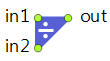
The FluidMerge block merges two streams of flow into one; the output flow rate equals the sum of the input rates.
Can work in three modes:
- Neutral — Neither of the inputs gets priority and no additional constraints apply. If the output can accept more than the sum of the maximum input rates, both input rates are maximized. If not, the input rate “quotas” are distributed non-deterministically.
- Proportional — The block applies additional constraint: input 1 rate / Fraction 1 = input 2 rate / Fraction 2, therefore the input rates depend on each other as well as on the allowed output rate.
- Priority — The block tries to maximize the rate of one of the inputs, and the other input gets what is left. Sometimes to avoid flow priority conflicts you may need to customize the priority values (by assigning integer values) to achieve desired global priorities.
In the priority mode, the dot indicating the priority input becomes orange in case the flow values are not in accordance with the priorities. This may well be a normal situation, but it also may signal that the flows are distributed not in the desired way and that setting custom priorities is required.
The output batch of FluidMerge may be the same as the one at the chosen input, same as at the priority input, default, or custom. The latter option is useful when, for example, the block models mixing of two different substances that results in creating the third one. The On new batch… actions can be used to change the mode and priorities depending on the input batches. If the output batch is set to be same as the one at the input whose batch is null (because of no flow), another input’s batch is used as the output batch.
The specified rate cannot be lower than the value of Utils.RATE_TOLERANCE constant, that is, 1.0e-9. If rate value falls below this value after recalculation, it will be snapped to 0.
FluidMerge is a zero-capacity block, it does not contain any amount of fluid.
Demo model: FluidMerge Open the model page in AnyLogic Cloud. There you can run the model or download it (by clicking Model source files). Demo model: FluidMergeOpen the model in your AnyLogic desktop installation.- Mode
-
The mode of the merge. One of the following:
Neutral — Neither of the inputs gets priority.
Proportional — Input rates must obey the proportion rules.
Priority — One of the inputs has priority over another.Name: mode
Type: SplitMergeMode
Set new value at runtime: set_mode(new value)
Valid values:
FluidMerge.SPLITMERGE_NEUTRAL — Neutral
FluidMerge.SPLITMERGE_PROPORTIONAL — Proportional
FluidMerge.SPLITMERGE_PRIORITY — Priority - Fraction 1
-
[Visible and applies if Mode: Proportional]
The relative fraction of the input 1 rate. If the user dynamically changes the property value, the output batch is updated according to the current property settings.Name: fraction1
Type: double
Set new value at runtime: set_fraction1(new value) - Fraction 2
-
[Visible and applies if Mode: Proportional]
The relative fraction of the input 2 rate. If the user dynamically changes the property value, the output batch is updated according to the current property settings.Name: fraction2
Type: double
Set new value at runtime: set_fraction2(new value) - Custom priorities
-
[Visible and applies if Mode: Priority]
If the option is selected (the value is equal to true), the priorities of inflows will be set to custom values, otherwise the priorities are set to 0 and 1. Priorities affects the LP solver when it tries to maximize the flow through the system.Name: customPriorities
Type: boolean
Set new value at runtime: set_customPriorities(new value) - Priority
-
[Visible and applies if Mode: Priority and Custom properties is not set] If the Input 1 option is selected (the value is equal to true), the input 1 has priority over the input 2, otherwise input 2 has the priority. This results in priority values 1 and 0.
Name: priorityInput1
Type: boolean
Set new value at runtime: set_priorityInput1(new value) - Priority of input 1
-
[Visible and applies if Mode: Priority and Custom properties is set]
Applies in the priority mode with custom priorities. Defines the priority of the input 1 flow of this block in the overall flowchart. Must be a non-negative integer.Name: priorityInput1Custom
Type: int
Set new value at runtime: set_priorityInput1Custom(new value) - Priority of input 2
-
[Visible and applies if Mode: Priority and Custom properties is set]
Applies in the priority mode with custom priorities. Defines the priority of the input 2 flow of this block in the overall flowchart. Must be a non-negative integer.Name: priorityInput2Custom
Type: int
Set new value at runtime: set_priorityInput2Custom(new value) - Output batch is
-
Defines how the output batch of this block is formed. One of the following:
Same as at input 1 — The same as the batch at the input 1.
Same as at input 2 — The same as the batch at the input 2.
Same as at priority input — The same as the batch at the priority input (Priority mode only).
Default — Set to the default batch.
Custom — Defined by the Output batch property below.Name: modeBatch
Type: OutputBatchMode
Set new value at runtime: set_modeBatch(new value)
Valid values:
FluidMerge.OUTPUT_BATCH_IN1 — Same as at input 1
FluidMerge.OUTPUT_BATCH_IN2 — Same as at input 2
FluidMerge.OUTPUT_BATCH_PRIORITY — Same as at priority input
FluidMerge.OUTPUT_BATCH_DEFAULT — Default
FluidMerge.OUTPUT_BATCH_CUSTOM — Custom -
[Visible and applies if Output batch is: Custom]
Defines the batch to be created at the output, which may depend on the input batches.Type: Object
Local variables:
Object batch1 — the batch at input 1
Object batch2 — the batch at input 2 - Custom batch color
-
[Visible and applies if Output batch: Custom]
If set, the output batch color is defined by the Batch color property below, otherwise the standard color mapping applies.Name: customBatchColor
Type: boolean
Set new value at runtime: set_customBatchColor(new value) -
[Visible and applies if the Custom batch color option is set]
Defines the color of the output batch.Type: Color
Local variable: Object batch — the output batch - Limited output rate
-
If the option is selected (the value is equal to true), you can specify a custom upper limit of the output rate.
Name: limitRateOut
Type: boolean
Set new value at runtime: set_limitRateOut(new value) - Maximum output rate
-
[Visible and applies if the Limited output rate option is set]
The custom upper limit of the output rate.Name: maxRateOut
Type: double
Default value: 10 cubic meters / s
Set new value at runtime: set_maxRateOut(new value)
- Show batches in flowchart
-
If set, the block icon will display the current batch color.
Name: showBatchesInFlowchart
Type: boolean
- On new batch at input 1
-
The action executed when a new batch appears at the input 1. It will not necessarily start flowing into the block.
Local variable: Object batch — the batch
- On new batch at input 2
-
The action executed when a new batch appears at the input 2. It will not necessarily start flowing into the block.
Local variable: Object batch — the batch
- On new batch at output
-
The action executed when a new batch appears at either of the inputs, or the mode, priority, or other properties of the block change, which may (or may not) result in a new batch going out.
Local variable: Object batch — the batch
- On rate change
-
The action executed when any of the flow rates changes.
Changing something in the action may result in another immediate rate change and immediately following another call of On rate change, so the user can possibly create a livelock.Local variables:
double in1rate — the current input rate at the in1 port
double in2rate — the current input rate at the in2 port
double outrate — the current output rate
- Fluid amount
-
Function Description double amountPassed() Returns the total amount passed through the output port of the block since the start of the simulation. double amountPassed(AmountUnits units) Returns the total amount of fluid (in given units) passed through the output port of the block since the start of the simulation.
units — the amount units - Flow rate
-
Function Description double currentRate() Returns the current flow rate of fluid that goes out. double currentRate(FlowRateUnits units) Returns the current flow rate (in given units) of fluid at the block output.
units — the flow rate units - Output batch
-
Function Description double updateOutputBatch() Forces immediate recalculation of the output batch and its color according to the current property settings. - Resetting statistics
-
Function Description void resetStats() Resets statistics collected for this block, including the statistics collected for its ports.
- in1
- The upper input port, the input 1.
- in2
- The lower input port, the input 2.
- out
- The output port.
-
How can we improve this article?
-