

AnyLogic includes a library of 3D images for commonly modeled objects such as people, nurses, doctors, trucks, lorries, forklifts, warehouses, and factories. You can use these built-in 3D objects directly without searching for external 3D model files.
If you need an object that isn't included in the library, you can import your own 3D model file using the AnyLogic 3D Object element. Supported file formats include .dae, .gltf/.glb, .fbx, and .obj.
To view all available 3D objects, open the  3D Objects palette.
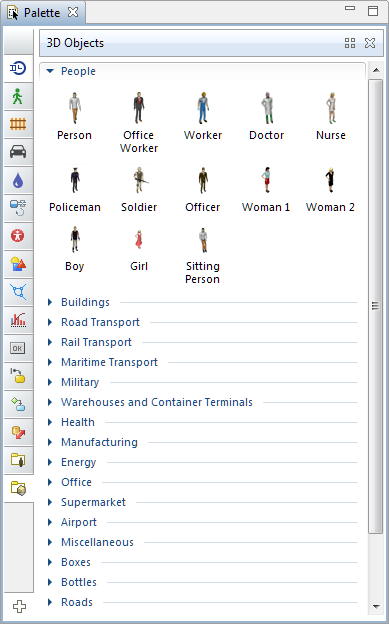
To add a standard 3D object to the presentation
- Drag the required object from the 3D Objects palette onto the presentation diagram.
- The object is implemented as a standard AnyLogic 3D object, which means you can modify its scale and change certain parameters (such as size, rotation, visibility, and scale) at model runtime using the object's dynamic properties.
Starting from AnyLogic 8.9.9, three new categories of 3D objects have been added: Citizens, Workers, and Security. These models were originally imported from the .gltf and .glb formats and support multiple animation poses, such as standing, walking, running, sitting, and other animations.
-
How can we improve this article?
-